Home
How to Buy, Manage, and Save Money on Dunkin' DD Gift Cards
Dunkin' DD gift cards are a top-tier choice for coffee lovers, offering a seamless way to pay via the Dunkin' Rewards app. To maximize value, buy e-gift cards at Sam's Club for a ~10% discount or purchase physical cards in-store to avoid the $2.00 online processing fee . You can check your balance instantly at Dunkin.com or by calling 1-800-447-0013.
Whether you are a daily commuter grabbing a sourdough breakfast sandwich or a casual fan of the seasonal Pumpkin Spice Latte, the Dunkin' DD gift card is more than just a piece of plastic. It is the primary engine for the Dunkin' Rewards program, allowing users to earn points, unlock free beverages, and skip the line with mobile ordering. However, managing these cards effectively requires more than just swiping at the counter.
In this comprehensive guide, we explore the nuances of purchasing, managing, and troubleshooting Dunkin' gift cards. From avoiding hidden fulfillment surcharges to navigating the "non-participating location" trap at airports, this resource provides the insider knowledge needed to ensure your coffee budget goes as far as possible.
Where Can You Buy Dunkin' Gift Cards Right Now?
Finding a Dunkin' gift card is relatively simple, but where you choose to buy it can significantly impact the total cost and customization options. Depending on whether you need a last-minute digital gift or a personalized physical card for a corporate event, different retailers offer varying levels of utility.
Official Dunkin’ Channels for Customization
The official Dunkin' website and mobile app are the primary sources for those seeking the widest variety of card designs. Here, you can choose from dozens of seasonal themes, upload personal photos for a custom touch, and schedule e-gift cards to arrive in a recipient's inbox at a specific time. This is widely considered a top choice for birthdays or holidays where personalization matters.
Major Retailers and Third-Party Sellers
If you prefer to pick up a card during your weekly grocery run, major retailers like Target and Walgreens carry physical Dunkin' cards in denominations typically ranging from $15 to $50. Buying from these locations is a smart move if you want a physical card without paying the shipping and handling fees associated with online orders.
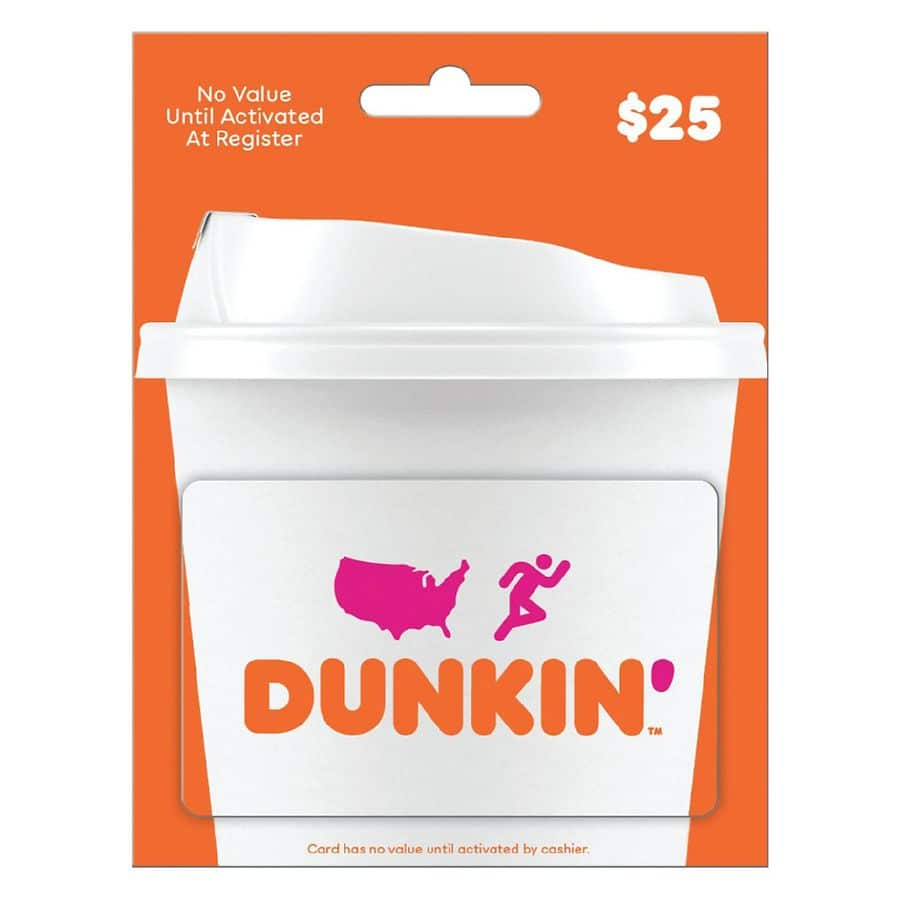
Image source: Walgreens
Finding Discounts at Sam’s Club
For the budget-conscious consumer, Sam's Club stands out as a top-rated option. They frequently offer discounted e-gift cards, such as a $25 value card for approximately $22.48. While these are usually limited to digital delivery and may have purchase limits (often two per membership), the ~10% savings represent one of the strongest value propositions for frequent Dunkin' drinkers.
| Retailer | Format | Fees | Best For |
|---|---|---|---|
| Dunkin.com | Physical & Digital | $2.00 for Plastic | Personalization & Scheduling |
| Target / Walgreens | Physical | None | Avoiding Online Fees |
| Sam's Club | Digital | None | Maximum Savings (10% Off) |
| Amazon | Digital | None | Convenience for Prime Members |
Why You Should Avoid Buying Plastic Cards Online
While Dunkin' markets their gift cards as having "no fees," there is a significant caveat for those who prefer physical media. According to the official fulfillment partner, CashStar, ordering a plastic card through the Dunkin' website incurs a $2.00 processing fee per card, plus the cost of shipping. This means a $10 gift card could effectively cost you $12 plus postage before it even reaches your door.
To bypass this unnecessary expense, we recommend one of two strategies. First, you can visit any standalone Dunkin' location and purchase a physical card directly at the register. There is no surcharge for cards bought in-store. Second, buying from a third-party retailer like Target allows you to get a physical card at face value. By opting for these methods, you ensure that every dollar you spend goes toward coffee and donuts rather than administrative processing.
How to Check Your Dunkin' Gift Card Balance
Knowing your balance before you reach the drive-thru window is essential for a smooth transaction. Dunkin' provides three primary methods to verify your remaining funds, each catering to different user preferences.
Using the Official Website Portal
The most direct way to check a balance without logging into an account is via the Dunkin' Gift Card portal . You will need the 16-digit card number and the 4-digit or 8-digit PIN. On physical cards, the PIN is located under a silver scratch-off panel on the back. For e-gift cards, the PIN is included in the delivery email.
Checking via the Phone Line
If you are on the road and don't have easy access to a web browser, you can call the automated balance inquiry line at 1-800-447-0013 . This service is available 24/7. Be prepared to enter your card details using your phone's keypad. This method is particularly useful for older cards where the scratch-off PIN might be partially damaged or difficult to read.
Real-Time Balance in the Dunkin’ Rewards App
For frequent users, adding the card to the Dunkin' Rewards app is a highly recommended practice. Once a card is linked to your account, the balance updates in real-time after every purchase. This eliminates the need for manual checks and allows you to set up "Auto-Reload," which adds funds from a linked credit card whenever your balance drops below a certain threshold.
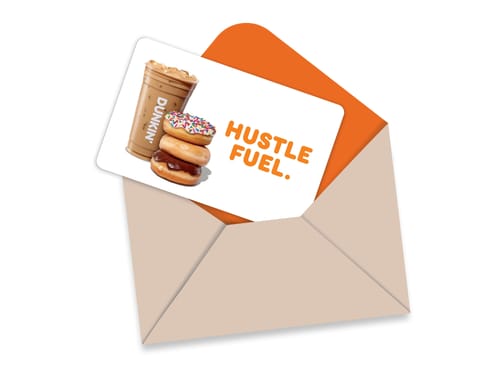
Image source: Dunkin
How to Add and Merge Multiple Cards in the Dunkin' Rewards App
A common frustration for Dunkin' fans is accumulating several cards with small balances—perhaps a few $5 cards from coworkers or leftover balances from promotional events. The Dunkin' app offers a powerful, though slightly hidden, feature to consolidate these funds.
Step-by-Step Integration Guide
To add a new card to your digital wallet, follow these steps:
- Open the Dunkin' Rewards app and navigate to the "Manage Cards" or "Payment" section.
- Select "Add a Dunkin' Card" .
- Enter the 16-digit card number and the PIN. You can also give the card a nickname (e.g., "Birthday Card").
- Confirm the addition. The balance should now appear in your total available funds.
The Multiple Card Mobile Order Hack
The Dunkin' mobile ordering system typically only allows you to use one primary card per transaction. If you have a $6.00 order but three cards with $2.00 each, the app will prompt you to "Add Funds" to your primary card using a credit card rather than using your other gift cards.
To solve this, use the "Merge" or "Transfer Balance" feature. Within the app's card management screen, you can select a secondary card and choose to transfer its entire balance onto your primary card. This consolidates your funds into one large balance, making mobile ordering much simpler and ensuring no small balances go to waste.
Why Your Gift Card Might Not Work at Some Dunkin' Locations
It is a common misconception that a Dunkin' gift card is valid at every location bearing the brand's logo. In reality, Dunkin' operates a mix of standalone corporate/franchise stores and "licensed" locations. Licensed locations are often found in airports, hospitals, college campuses, Walmarts, and shared "multi-brand" restaurant spaces (like Dunkin'/Baskin-Robbins combos in transit hubs).
These non-traditional locations frequently use different Point of Sale (POS) systems that are not integrated with the standard Dunkin' Rewards network. Consequently, they may not be able to scan your app or accept a gift card as payment. Even if the location appears on the map within the Dunkin' app, it does not guarantee gift card acceptance. A top strategy for travelers is to always ask, "Do you accept Dunkin' gift cards?" before placing an order at an airport or hospital kiosk.
How to Protect Yourself from Gift Card Scams and Fraud
Gift card fraud is an industry-wide issue, and Dunkin' cards are not immune. One specific concern reported by community members is the "Zero Balance" scam at the drive-thru. In this scenario, a dishonest employee might swipe your card, claim it has no balance, and then keep the card (which actually has funds) while asking you for another form of payment.
- Check your balance in the app immediately before reaching the window.
- Always ask for a receipt . The bottom of every Dunkin' receipt displays the "Remaining Balance" of the card used.
- Never hand over a card if the employee claims the system is "down" but still wants to take the card to a back terminal.
Furthermore, be wary of purchasing cards from unauthorized resellers on auction sites. Dunkin' explicitly states in their terms that unauthorized resale can lead to card deactivation. If a deal seems too good to be true (e.g., a $100 card for $40), it likely involves a card purchased with a stolen credit card, which will eventually be voided by Dunkin' corporate.
Troubleshooting Common Technical Issues
If you encounter issues while trying to buy or use a card, the problem is often technical rather than financial. Here are three specific fixes for common hurdles:
- Browser Cookie Requirements: When purchasing e-gift cards on the official site, your browser must have third-party cookies enabled . The fulfillment site (CashStar) requires these to process the secure transaction. If the "Checkout" button isn't working, check your privacy settings.
- AMEX Corporate Security Codes: If you are using an American Express Corporate card to buy a gift card and it lacks a traditional 4-digit CID on the front, the official workaround is to use "5555" as the security code.
- Amazon Brand Confusion: When searching for "DD gift card" on Amazon, the search results often include competitors like Starbucks or Duck Donuts. Always verify the pink and orange Dunkin' logo before clicking "Buy Now" to avoid purchasing the wrong brand.
Frequently Asked Questions
- Can I use a Dunkin' gift card at Baskin-Robbins?
- Yes, in most cases. Because Dunkin' and Baskin-Robbins are sister brands under Inspire Brands, many "combo" locations accept Dunkin' cards for ice cream purchases. However, this is subject to the specific store's POS system, and standalone Baskin-Robbins stores may not always have the capability to process Dunkin' cards.
- Do Dunkin' gift cards ever expire?
- No. Dunkin' gift cards do not have an expiration date, nor do they charge dormancy or maintenance fees. The value on the card remains valid until it is fully spent. This makes them a reliable option for long-term gifting.
- Can I get cash back from my gift card balance?
- Generally, no. Dunkin' gift cards are not redeemable for cash unless required by state law. For example, in states like California or Massachusetts, you may be entitled to a cash refund if the balance falls below a certain threshold (usually $5 or $10).
- What is the maximum balance I can hold on a card?
- The maximum balance allowed on a single Dunkin' gift card is $200. If you need to gift a larger amount, you will need to purchase multiple cards or set up a corporate bulk order account.
- How long does it take for an e-gift card to arrive?
- Most e-gift cards are delivered via email within one hour of purchase. However, if the transaction triggers a fraud review (common with large orders or new accounts), it may take up to 24 hours for the card to be released.
- Can I reload my card while waiting in the drive-thru?
- Yes, you can reload a card in-store or at the drive-thru window using cash or a credit card. However, reloading via the Dunkin' app is significantly faster and allows you to use saved payment methods without handing over your credit card.
The Bottom Line
Managing your Dunkin' DD gift cards effectively can save you both money and time. By following these key takeaways, you can ensure a smooth coffee experience every time.
- Buy at Sam's Club to secure a 10% discount on your coffee budget.
- Avoid online plastic card orders to skip the $2.00 fulfillment fee; buy in-person instead.
- Consolidate small balances using the "Merge" feature in the Dunkin' app for easier mobile ordering.
- Verify your balance before entering the drive-thru to protect yourself from potential fraud.
- Check for "Participating Location" status when visiting airports or hospitals to avoid payment rejection.
- Enable third-party cookies in your browser if you encounter errors during a digital purchase.
Take a moment today to add your physical cards to the Dunkin' Rewards app and merge any lingering small balances into a single, ready-to-use fund.