Home
Home
How to Find and Use Your Olive Garden Gift Card PIN for Online Orders
The 4-digit PIN for an Olive Garden gift card is located on the back of physical cards, hidden beneath a silver scratch-off panel near the 16-digit card number. For digital eGift cards, the PIN is included in the delivery email, typically listed directly below the card number or barcode. You must have this PIN to check your balance online or to complete a "To Go" order via the Olive Garden website or mobile app.
Whether you are planning a family dinner or ordering a quick "To Go" meal, Olive Garden gift cards offer a convenient way to pay. However, many users encounter a hurdle when trying to use their cards digitally: the 4-digit Personal Identification Number (PIN). While a physical swipe at the restaurant doesn't always require this code, the digital ecosystem demands it for security and verification.
This guide provides a deep dive into locating your PIN, troubleshooting common issues like damaged scratch-off panels, and understanding how these cards function across the broader Darden Restaurants network. By the end of this article, you will be equipped to manage your balance and complete your orders with ease.
Where is the 4-Digit PIN on an Olive Garden Gift Card?
Locating the PIN depends entirely on the format of the card you hold. Darden SV, Inc., the issuer of these cards, utilizes different layouts for physical plastic and digital versions to ensure security across various platforms.
Locating the PIN on Physical Plastic Cards
On a standard physical Olive Garden or Darden gift card, the PIN is found on the reverse side. Look for a 16-digit number, which is your primary card identifier. To the right or slightly below this number, you will see a small, rectangular silver panel. This is the security coating that protects your PIN from being copied before purchase.
To reveal the 4 digits, use a coin or a fingernail to gently scratch away the silver ink. It is important to avoid using sharp objects like knives or scissors, as these can easily gouge the plastic and remove the printed numbers underneath, rendering the card difficult to use for online transactions.
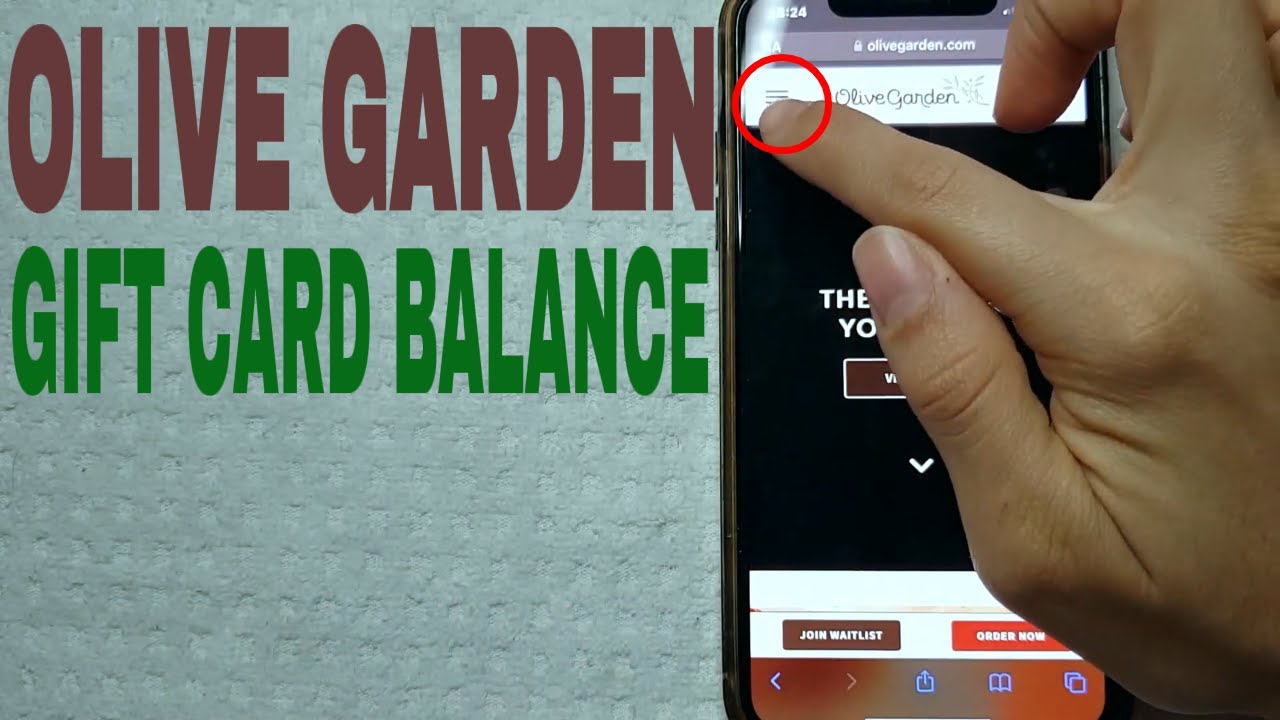
Image source: YouTube
Finding the PIN for Digital eGift Cards
If you received your gift card via email—whether purchased directly from Olive Garden's official site or a third-party retailer like Sam's Club —the PIN is delivered digitally. You do not need to scratch anything.
Open the redemption link provided in your email. The resulting page will display a barcode, a 16-digit card number, and a clearly labeled 4-digit PIN. If you are viewing the card in a mobile wallet (like Apple Wallet or Google Pay), you may need to tap the "Info" or "Details" icon to see the PIN, as the main screen often only shows the barcode for in-restaurant scanning.
How to Use Your PIN for Online Orders and Balance Checks
The PIN serves as a security layer that prevents unauthorized users from draining your card balance or checking your funds without the physical card in hand. Here is how to apply it in the two most common scenarios.
Checking Your Balance via the Official Darden Portal
To verify how much remains on your card, you should visit the official Darden balance inquiry page. This portal is shared by all Darden brands, including LongHorn Steakhouse and Yard House.
- Navigate to the Darden Gift Card Balance Tool .
- Enter your 16-digit card number without spaces or dashes.
- Enter the 4-digit PIN revealed from the scratch-off or email.
- Click "Check Balance" to see your current funds.
If you prefer a non-digital method, you can call the automated balance inquiry line at 1-877-500-9706 . The system will prompt you to type in both the card number and the PIN using your phone's keypad.
Applying Your Gift Card to "To Go" Orders
When ordering online for pickup, the Olive Garden checkout process offers two main paths: "Pay Online" or "Pay at Restaurant." To use your gift card balance immediately, you must select Pay Online .
In the "Payment" section of the checkout screen, look for the option labeled "Add Gift Card." Once selected, two fields will appear: one for the 16-digit number and one for the 4-digit PIN. After entering both, click "Apply." The system will deduct the order total from your card. If the card balance is less than the order total, you will be prompted to provide a secondary payment method (like a credit card) to cover the remaining amount.
What to Do if Your Olive Garden Gift Card Has No PIN
It is a common point of confusion when a user flips over their card only to find a 16-digit number and no silver scratch-off panel. This typically happens in two specific instances:
- Older Card Generations: Darden cards issued many years ago, before online ordering became a standard feature, often lacked a PIN. These cards were designed solely for magnetic stripe swiping at a physical Point of Sale (POS) terminal.
- Promotional Vouchers: Certain "bonus" cards earned during holiday promotions or paper vouchers issued by local management may not include a security PIN.
The Workaround: If your card lacks a PIN, it cannot be used for online checkout or digital balance checks. The Olive Garden website and app require a PIN for security reasons and cannot bypass this field. To use these cards, you must dine in-person or place a "To Go" order and choose the "Pay at Restaurant" option. The server or cashier can manually enter the 16-digit number into their system or swipe the card to process the payment.
How to Recover a Damaged or Scratched-Off PIN
If you were a bit too enthusiastic with a coin and accidentally scratched off the PIN digits along with the silver coating, don't panic. While the card may look ruined, the value is still tied to the 16-digit number in Darden's database. Follow this timeline to recover your funds:
Locate your original purchase receipt if possible. If the card was a gift, try to find the store location where it was purchased. Having the full 16-digit number visible is essential.
Call the official support line at 1-800-248-4935 (Monday–Friday, 9 a.m. – 6 p.m. ET). Explain that the PIN is unreadable. They may ask for the card number and details about the purchase to verify ownership.
In most cases, support will not "give" you the old PIN. Instead, they will deactivate the damaged card and issue a new eGift card to your email address with the remaining balance. This new digital card will come with a fresh, readable PIN.
Using Your PIN Across the Darden Restaurant Family
One of the most convenient features of an Olive Garden gift card is its versatility. Because Olive Garden is owned by Darden Restaurants, your card and its associated PIN are valid at a wide variety of dining establishments. This makes the card a top-tier choice for gifting, as the recipient isn't limited to just one type of cuisine.
As of 2026, your Olive Garden gift card PIN will work at the following locations:
| Restaurant Brand | PIN Required Online? | Card Type Accepted |
|---|---|---|
| Olive Garden | Yes | Physical & Digital |
| LongHorn Steakhouse | Yes | Physical & Digital |
| Yard House | Yes | Physical & Digital |
| Cheddar’s Scratch Kitchen | Yes | Physical & Digital |
| Bahama Breeze | Yes | Physical & Digital |
| The Capital Grille | Yes | Physical & Digital |
| Seasons 52 | Yes | Physical & Digital |
| Eddie V's | Yes | Physical & Digital |
Note that while the cards are interchangeable, regional restrictions apply. U.S.-issued cards are valid in the United States, Puerto Rico, and Guam. However, they are generally not accepted at Canadian Olive Garden locations, which require specific Canadian-denominated gift cards.
Advanced Tips: Cashback and Gratuity
For savvy diners, there are ways to maximize the value of an Olive Garden gift card beyond its face value. Community wisdom from platforms like Fluz suggests that using specific banking or cashback apps can yield significant savings.
The 7% Cashback Strategy
Many users utilize apps like Fluz or Banco Inter to purchase digital Olive Garden cards instantly. By buying a card through these apps right before paying your bill, you can often receive up to 7% cashback. The app generates the 16-digit number and PIN immediately, allowing you to pay for your meal at a discount. This is a significant advancement over paying with a standard debit card, which rarely offers such high rewards for dining.
Paying for Tips with a Gift Card
A common question is whether the gift card balance can cover the gratuity. The answer is yes. When you pay for a "To Go" order online, you can add a tip during the checkout process, and the total (meal + tip) will be deducted from the gift card. In a sit-down setting, when the server brings the final check, you can write the tip amount on the receipt as usual. The server will then deduct that total from the card balance. Just ensure your card has enough remaining funds to cover both the food and the service.
How to Avoid Olive Garden Gift Card Scams and Fraud
Gift card fraud has become increasingly sophisticated. One common tactic is "card cloning," where scammers record the 16-digit numbers and PINs of cards sitting on store racks, then wait for a customer to purchase and activate them. Once activated, the scammer quickly drains the balance online.
To protect yourself, follow these security measures:
- Inspect the Packaging: Before buying a card in a grocery store, ensure the silver scratch-off panel is intact and shows no signs of tampering or peeling.
- Check the Balance Immediately: After purchasing, check the balance via the Darden portal to ensure the full amount is present.
- Avoid "Payment" Scams: No legitimate government agency, utility company, or lottery will ever ask you to pay a bill or fee using an Olive Garden gift card. If someone asks for your PIN over the phone for a "debt," it is a scam.
If you suspect your card has been compromised, report it immediately to the Federal Trade Commission at ReportFraud.ftc.gov and contact Darden Corporate at 888-883-5575 .
Final Takeaways for Managing Your Gift Card
- Locate the PIN on the back of physical cards by gently scratching the silver panel with a coin.
- Find digital PINs in your confirmation email; they are required for all online "To Go" orders.
- Use the Darden portal or call 1-877-500-9706 to verify your balance before heading to the restaurant.
- Present "No PIN" cards in-person , as they are not compatible with the online checkout system.
- Contact Guest Relations at 1-800-248-4935 if your PIN is damaged or unreadable.
- Leverage the Darden network to use your card at LongHorn Steakhouse, Yard House, and other sister brands.
Keep your card and PIN secure just like cash, and always verify your balance through official channels to ensure a smooth dining experience.
Frequently Asked Questions