Home
Home
How to Secure the Best Local Deals and Sell Faster on OfferUp

OfferUp operates as a premier mobile-first marketplace that connects millions of buyers and sellers across the United States. Founded in 2011 and headquartered in Bellevue, Washington, it has evolved into a robust alternative to Craigslist and Facebook Marketplace. The platform focuses on peer-to-peer (C2C) transactions, allowing individuals to list everything from vintage furniture and high-end electronics to used vehicles and local services. By leveraging geolocation technology, OfferUp simplifies the process of finding items within a short driving distance, fostering a community-centric shopping experience.
Understanding how to navigate this digital garage sale is essential for anyone looking to declutter their home or find a bargain. The platform's success stems from its integration of social-style profiles, instant messaging, and a verification system known as TruYou. Whether a user is a casual seller clearing out a garage or a frequent shopper hunting for collectibles, mastering the specific mechanics of the OfferUp ecosystem is the key to maximizing value and ensuring personal safety.
What is OfferUp and how does it work?
OfferUp is a localized marketplace app available on iOS and Android, as well as through its website at offerup.com. The fundamental logic of the platform is simplicity: a seller takes a few photos of an item, adds a description and price, and publishes the listing within minutes. Buyers browse a feed of items sorted by proximity to their current location. When a buyer finds something of interest, they use the secure in-app messaging feature to ask questions, negotiate the price, and arrange a meeting time and place.
While the primary focus remains on local, in-person exchanges involving cash or digital payments, OfferUp has expanded its capabilities to include nationwide shipping. This allows sellers to reach a broader audience, while buyers can access unique items from across the country. In these instances, OfferUp acts as an intermediary, holding the buyer's payment in escrow until the item is delivered and inspected, providing a layer of protection that traditional classifieds lack.
Why the OfferUp interface enhances user experience
The design of the OfferUp app mimics the addictive scrolling nature of social media platforms like Instagram. This is a deliberate product strategy to keep users engaged. The home screen features high-quality imagery, and the "infinite scroll" allows users to discover items they didn't even know they were looking for.
From a product management perspective, the app excels in reducing friction. For sellers, the "Post" button is always accessible, and the image recognition software often suggests categories for items as photos are uploaded. For buyers, the filtering system is highly granular. Users can filter by category, price range, distance, and even the "newness" of the listing. This efficiency is why the platform currently boasts over 40 million active users nationwide, representing a significant portion of the adult population in top U.S. markets.
How to sell items fast on OfferUp
Selling on OfferUp is a competitive endeavor. With millions of listings active at any given time, a generic post will likely be buried within hours. Successful sellers on the platform utilize specific strategies to ensure their items stand out and sell at the desired price point.
The psychology of high-quality photography
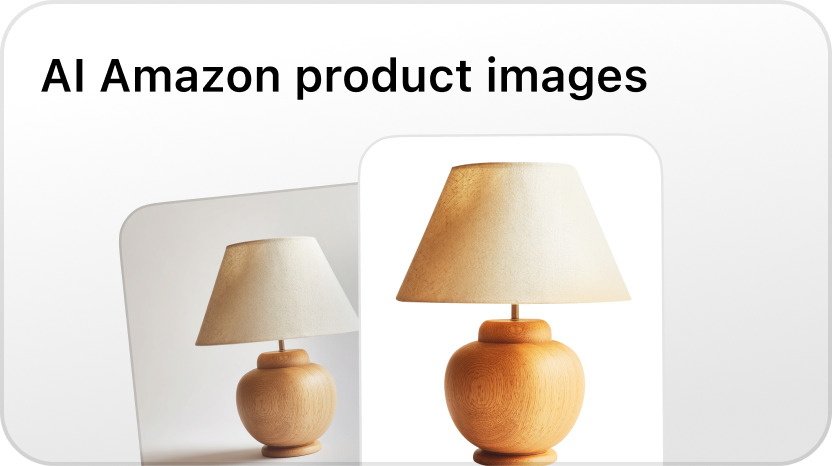
In a visual-first marketplace, the first photo is the most critical element of a listing. Our observations indicate that listings with clear, natural lighting and a neutral background receive up to 40% more inquiries within the first 24 hours. Sellers should avoid using stock photos from manufacturers, as these often signal potential scams or a lack of transparency regarding the item's actual condition.
To maximize engagement, a seller should include at least five photos:
- A primary wide shot showing the entire item.
- Detail shots showing the texture, brand labels, or specific features.
- Angle shots to provide a 3D perspective.
- Condition shots showing any minor scratches or wear (this builds trust).
- A lifestyle shot (e.g., a lamp on a side table) to help buyers visualize the item in their own space.
Crafting a searchable and persuasive description
The OfferUp search algorithm relies heavily on the title and the first few sentences of the description. Sellers must include keywords that buyers are likely to type. Instead of "Old Table," a high-performing title would be "Mid-Century Modern Walnut Dining Table - Excellent Condition."
The description should answer the most common questions upfront to reduce unnecessary back-and-forth messaging. A professional-grade description includes the brand name, dimensions, age, reason for selling, and whether the price is firm or negotiable. Transparency regarding flaws is not just ethical; it prevents wasted time during in-person meetups where a buyer might walk away upon discovering undisclosed damage.
Strategic pricing and the "Negotiation Buffer"
OfferUp is culturally defined by negotiation. Buyers almost always expect to pay less than the listed price. Therefore, an effective strategy is to list the item approximately 10-15% higher than the actual target price. This gives the buyer the psychological satisfaction of "winning" a discount while the seller still achieves their financial goal.
It is also helpful to research "Sold" listings or current competitors on the app. If three other people are selling the same model of headphones for $50, listing them for $80 will result in zero traction unless there is a clear added value, such as original packaging or an extended warranty.
How to buy safely and find the best deals on OfferUp
For buyers, OfferUp is a treasure trove of undervalued goods, but it requires a discerning eye to separate genuine bargains from overpriced junk or potential risks.
Using advanced filters to find hidden gems
The "Sort by: Newest" filter is the buyer's best friend. The best deals—items priced significantly below market value—usually sell within two hours. By setting up alerts for specific keywords (e.g., "Le Creuset" or "RTX 3080"), serious buyers can receive push notifications the moment a matching item is posted.
Another tactic involves searching for common misspellings of brand names. A seller listing a "Playstation" as a "Plasystation" might receive fewer views, allowing a savvy buyer to swoop in and negotiate a lower price due to the lack of competing offers.
The art of the fair offer
Lowballing—offering a price significantly below the listed value—is often met with immediate blocks or silence. To be successful, a buyer should offer a price that is respectful but reflects the item's condition. Mentioning a specific reason for the offer, such as "I noticed a similar one sold for $X recently" or "I can pick this up within the hour," can make an offer more attractive to a seller who is eager to clear space.
Is OfferUp safe for local transactions?
Safety is the primary concern for any peer-to-peer marketplace. OfferUp has implemented several features to mitigate risk, but the ultimate responsibility lies with the users.
The TruYou verification system
One of the platform's standout features is TruYou. Users can choose to verify their identity by providing a photo of a government-issued ID and a selfie. Once verified, a badge appears on their profile. While not a guarantee of honesty, a TruYou badge indicates a level of accountability that anonymous profiles lack. When choosing between two identical items, a buyer should always prioritize the seller with a TruYou badge and a high star rating.
Identifying and avoiding common scams
Scams on OfferUp typically follow predictable patterns. A major red flag is any request to move the conversation off the app. Scammers often ask for a phone number or email address to send "verification codes" or to discuss payment via external methods like Zelle, Venmo, or wire transfers.
Common warning signs include:
- Too good to be true prices: A brand-new MacBook Pro for $200 is almost certainly a scam.
- Sense of urgency: The seller claims they are moving today and need an immediate deposit.
- Suspicious profiles: Profiles created the same day with no ratings and high-value items listed.
Choosing the right meeting spot
For local exchanges, the physical meeting location is vital. OfferUp has partnered with local law enforcement and businesses to establish "Community MeetUp Spots." These are well-lit, public areas often monitored by surveillance cameras. Meeting at a police station lobby or a busy grocery store parking lot during daylight hours is the gold standard for safety. Users should never invite a stranger to their home or go to a secluded location alone.
How to handle shipping and payments on OfferUp
While local pickup is the core of OfferUp, the shipping feature is a powerful tool for scaling. Understanding the logistics of this system is crucial for both parties.
For Sellers: The shipping process
When a seller enables shipping, they must provide the weight of the item to determine the shipping cost, which is typically paid by the buyer. Once a sale is made, OfferUp provides a prepaid shipping label. The seller must drop the package off at the designated carrier (usually USPS) within three business days.
A key detail for sellers is the payment timeline. OfferUp holds the funds until the carrier confirms delivery. The buyer then has a two-day inspection period. If no issues are reported, the funds are released to the seller’s OfferUp balance, which can then be deposited into a bank account. It is important to note that OfferUp charges a service fee for shipped items, typically 12.9% of the sale price (with a minimum fee), which must be factored into the pricing strategy.
For Buyers: The shipping protection
The "OfferUp Protect" policy covers buyers if an item is never shipped, if it arrives damaged, or if it is significantly different from the description. However, this protection only applies if the transaction is completed entirely through the OfferUp app. If a buyer pays a seller via a third-party app, OfferUp cannot facilitate a refund.
What are the pros and cons of using OfferUp?
Every platform has its trade-offs. Comparing OfferUp to its competitors reveals its specific niche in the market.
Pros
- Intuitive Mobile App: The interface is superior to the cluttered desktop-centric design of Craigslist.
- Trust Indicators: Ratings, reviews, and TruYou badges provide more context than anonymous platforms.
- Built-in Messaging: No need to share personal phone numbers or email addresses.
- Wide Reach: With 40 million users, the liquidity for popular items (like iPhones or furniture) is very high.
Cons
- Spam and Ghosting: Because it is so easy to message, many buyers will ask "Is this available?" and then never respond again.
- Fees for Shipping: The 12.9% fee is higher than some competitors like Mercari or eBay in specific categories.
- Notification Lag: In our testing, push notifications for messages can occasionally be delayed by several minutes, which can be frustrating during a time-sensitive negotiation.
Comparison: OfferUp vs. Facebook Marketplace
Facebook Marketplace is currently OfferUp’s biggest rival. While Facebook has the advantage of a larger overall user base, OfferUp often attracts a more "serious" buyer/seller demographic. Facebook Marketplace is tied to a user’s social profile, which some prefer for transparency, but others find invasive. OfferUp offers a more dedicated, transaction-focused environment without the noise of social media feeds or political rants.
In high-density urban areas, the density of items on OfferUp is often comparable to Facebook, making it worth the time to cross-post items on both platforms to maximize exposure.
Troubleshooting common OfferUp issues
Users occasionally encounter technical or account-related hurdles. Common issues include:
- Account Suspension: This often happens if the system detects "bot-like" behavior, such as messaging 50 people the same text in five minutes.
- Listing Shadowbanning: If a listing violates the "Prohibited Items" policy (e.g., weapons, alcohol, or certain health products), it may be hidden from search results without notifying the seller.
- App Crashes: Clearing the app cache or ensuring the latest version is installed usually resolves UI glitches.
Conclusion
OfferUp has solidified its position as a vital tool in the modern circular economy. By combining the local charm of a neighborhood yard sale with the sophisticated technology of a modern e-commerce platform, it provides an accessible way for anyone to turn unwanted items into cash or find high-quality goods at a fraction of the retail price. Success on the platform isn't just about what is being sold; it is about how it is presented, how communication is handled, and how safety protocols are followed. By focusing on high-quality visuals, transparent communication, and utilizing the TruYou verification system, users can navigate the marketplace with confidence and efficiency.
Summary of key takeaways
- Prioritize Visuals: Use high-resolution, multi-angle photos with natural light to attract buyers.
- Verify Identity: Use the TruYou badge to increase your credibility and look for it in others.
- Stay In-App: Never move conversations or payments outside of OfferUp to maintain buyer/seller protection.
- Meet Publicly: Use designated Community MeetUp Spots for all local transactions.
- Understand Fees: Factor in the 12.9% shipping fee if you are not selling locally.
FAQ
How do I create my first listing on OfferUp?
To create a listing, open the app and tap the "Post" icon at the bottom center. You will be prompted to take or upload photos of your item. Next, enter a descriptive title, select the appropriate category, and set your price. You can choose to enable shipping or keep the sale local. Finally, review your details and hit "Post" to make it live.
Can I use OfferUp for free?
Yes, listing and buying items for local pickup is generally free for casual users. OfferUp makes money through service fees on shipped items, optional "Promote" features that give your listing more visibility, and monthly subscriptions for high-volume sellers or businesses.
What should I do if a buyer doesn't show up?
"Ghosting" or "No-shows" are common frustrations. If a buyer doesn't show up at the agreed time, wait for 10-15 minutes and send a polite follow-up message. If there is no response, you should report the user for a no-show and move on to the next interested buyer. To avoid this, always confirm the meeting one hour before the scheduled time.
Is my personal information shared with other users?
OfferUp does not share your phone number, email, or exact home address with other users. Communication happens through the in-app chat. While the app uses your location to show items nearby, it only shows a general radius (usually a zip code), not your specific location, until you choose to share a meeting point.
How does the TruYou verification work?
TruYou is an optional, free verification process. To get the badge, you must scan a government ID (like a driver's license) and take a live selfie through the app. OfferUp’s system compares the two to ensure they match. Once confirmed, your profile will display the TruYou badge, which significantly increases trust among potential buyers and sellers.